Only admins can create leave days directly. If you're a project manager or a regular user, you can submit a leave request instead.
To request leave:
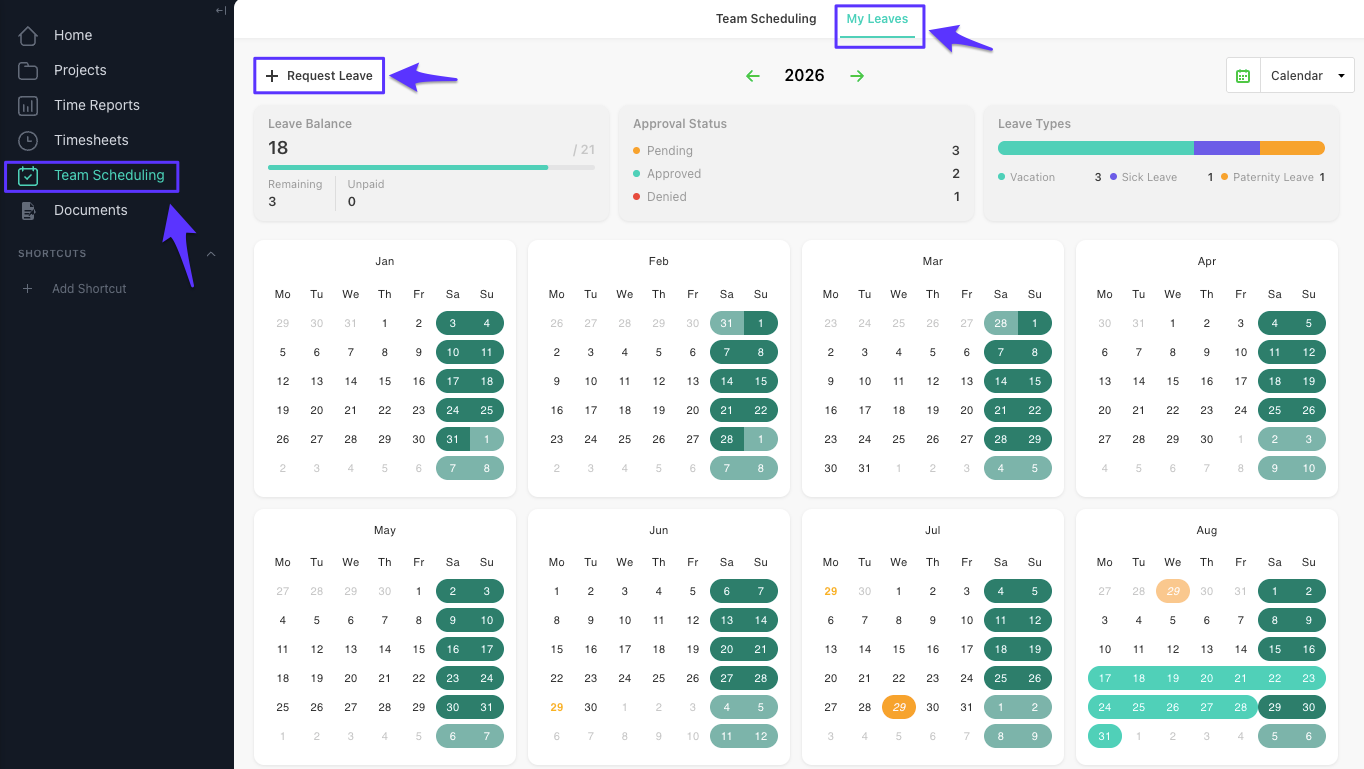
Go to Team scheduling.
Open the My Leaves tab.
Click Request leave.
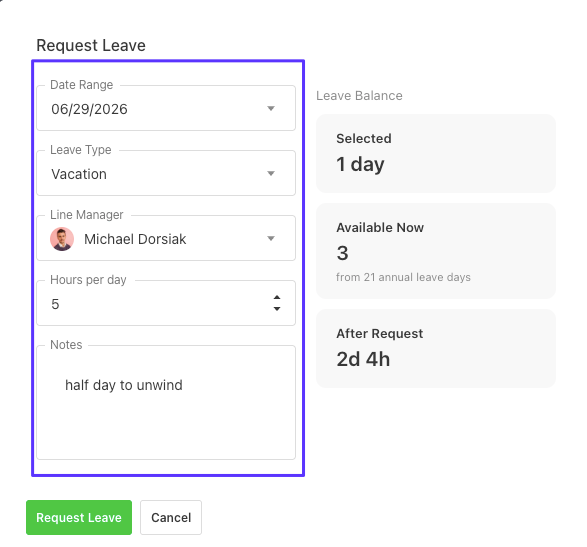
Fill in the leave request by selecting the following details:
Choose the date range for your leave.
Select the admin who will receive your request.
Specify whether you're requesting a full day or partial day, and enter the number of hours if needed.
(Optional) Add a reason for your request to provide additional context for the admin.
Once you've completed the form, submit the request for review.
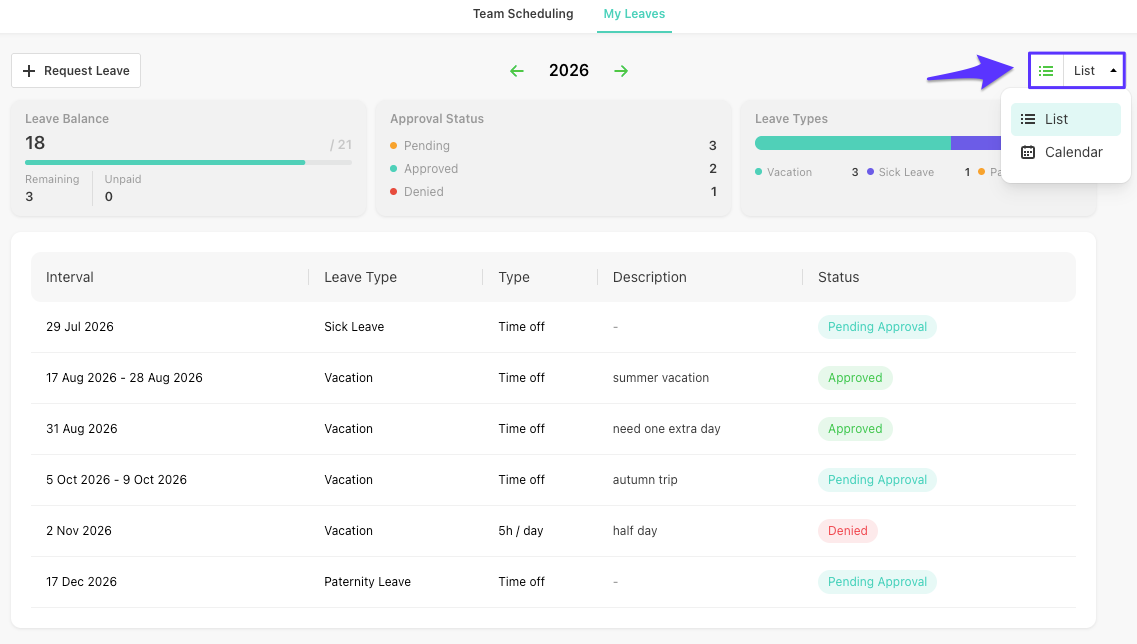
You can view your leave days in two different layouts:
List view – Displays all your leave requests in a chronological list, making it easy to review their status and details.
Calendar view – Shows your leave days on a calendar, giving you a clear overview of your schedule and upcoming time off.
Switch between the two views at any time, depending on how you prefer to manage your leave.